


No products in the cart.
Zone: The Finals
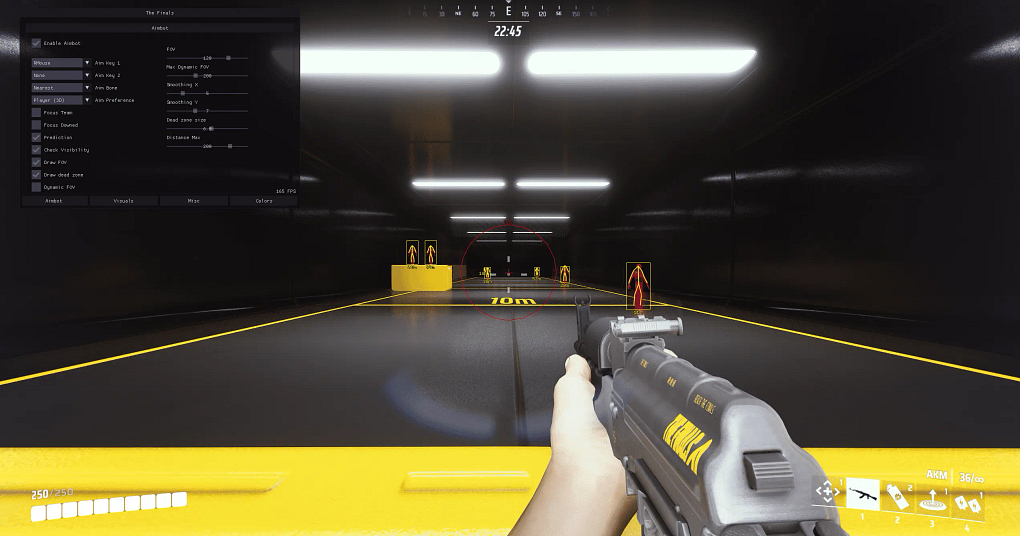
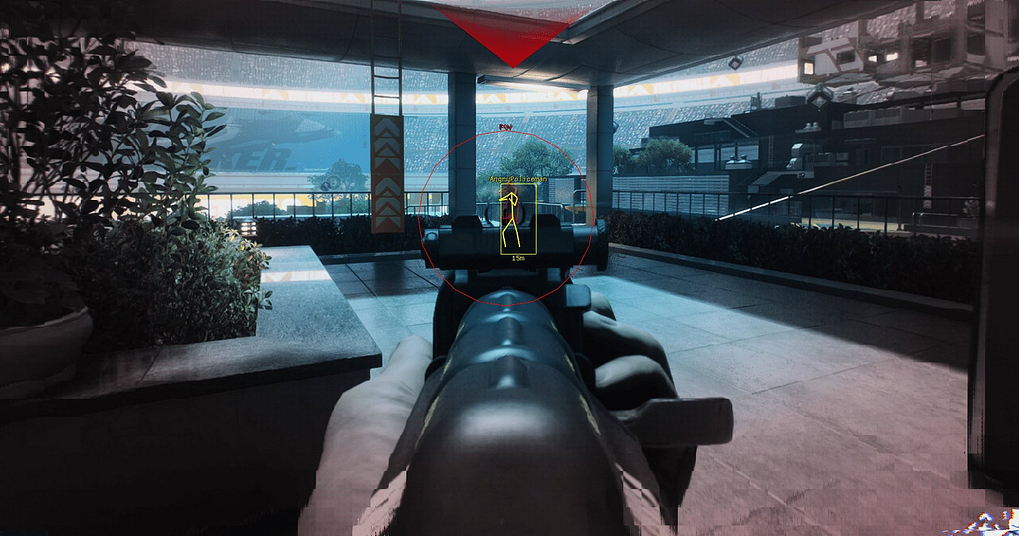
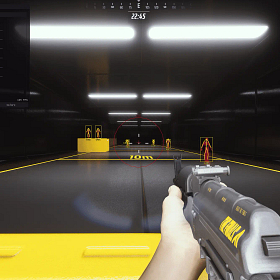
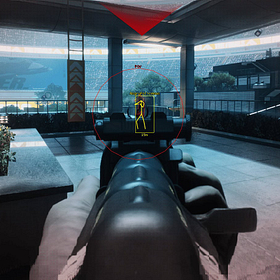
Customizable hotkey
Customizable FOV
Customizable smoothing
Humanized trajectories
Smoothing threshold
Aim prediction
Maximum distance
Player ESP
Show team
Color based on type (heavy, medium, light)
Customizable boxes
Snapline
Distance
Maximum distance
2D radar
Customizable size
Instant delivery
Auto update (no re-download)
Fully streamproof
Screenshots protection
Disableable watermark
Customizable colors
SYSTEM SPECS
OS
Windows 10 - Windows 11 (All Builds)
CPU
Intel & AMD
GPU
Nvidia & AMD
SELECT PLAN
DOCUMENTATION
4.8
Based on 11 reviews
R
Just started using this for The Finals and the difference is night and day. Being able to see where the enemy team is rotating to steal the cashout gives you so much time to prepare. Aimbot is subtle enough that kill cams don’t look suspicious. Setup was easy and everything worked first try. Already recommended it to two friends.
K
undetected for over a month now. runs smooth. does what it says. 10/10
V
The destruction mechanic in The Finals makes most cheats struggle because the map literally changes mid-round. This one handles it perfectly. ESP updates in real time as floors break and walls come down. You always know where people are even when the whole building is falling apart. Aimbot stays locked on targets through all the chaos. Genuinely impressed with how well optimized this is for The Finals specifically.nnAlso the support team is great. Had a question about settings for Light build and got a response within minutes.
N
Good cheat overall. ESP and aimbot do their job. Would be nice to have a few more visual customization options for the overlay but that’s really just personal preference. Functionally solid.
P
I mainly play Medium build and the aimbot tracking is perfect for the AKM and Lewis Gun. Recoil control feels natural. ESP with the cashout tracker alone is worth the money honestly. Three weeks in, zero issues with detection. Would recommend to anyone playing ranked.
About Zone: The Finals
Zone: The Finals is an external cheat for The Finals and one of our best sellers. Zone is known for its dead-simple USB setup. Plug in your flash drive, run the loader, and play. The brand gets consistent updates and has long undetected runs across multiple games.
The Finals is a destructible-environment FPS where teams compete in high-stakes game show combat across light, medium, and heavy builds. Zone The Finals ESP reveals all enemy positions, build types, and distances so your team controls the cashout and wins every engagement.
Getting Started
- Download the loader and copy it to a USB flash drive.
- Install Visual C++ Redistributables if you do not have them.
- Uninstall any third-party antivirus and turn off Windows Defender real-time protection.
- Close all game launchers and overlays (Discord, GeForce Experience, MSI Afterburner).
- Run the loader from your USB drive as administrator and enter your license key.
- Click Start, wait for the success message, then remove the USB.
- Launch The Finals in borderless or windowed mode.
In-Game Controls
The menu shows up automatically when the game loads. Navigate with your mouse. Settings save between sessions. Set your game to borderless or windowed. Fullscreen exclusive mode blocks the overlay.
Safety
Zone: The Finals has built-in HWID protection against EAC bans. The USB loading method adds extra safety because no cheat files sit on your main drive. Always run the loader before opening any game client.
Need Help?
Our setup guide has step-by-step instructions with screenshots. For live help, join Discord.
Write a Review
You must be logged in to post a review.