


No products in the cart.
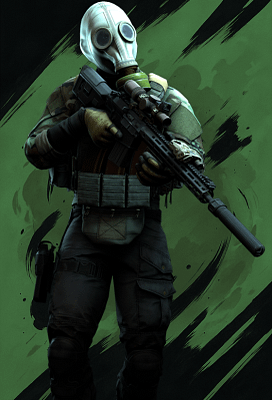
Zone: Escape from Tarkov


Customizable hotkey
Bone selection
Target modes
No recoil modes
No sway
Remove Walk Recoil
Silent Aim
Rage Autoshoot
Ignore friends
Draw FOV
Aim line
Customizable FOV
Customizable smoothing
Humanized trajectories
Aim prediction
Hitscan
Maximum distance
Customizable boxes
Name
Health
Snapline
Distance
Skeleton
Weapon
Level
Visible Check
Chams
Inventory worth
Streamer detection
K/D
Corpse ESP
Corpse inventory
Maximum distance
2D radar
Night Vision
Thermal Vision
No Visor
Full Bright
No Movement Collision
Visualize RayCast
Thirdperson
Items ESP
Custom loot filter
Loot category filter
Advanced price filter
Quest items
Extractions
Grenades
Show ammo
Playerlist
Quest Locations/Doors
Instant delivery
Auto update
Fully streamproof
Screenshots protection
Disableable watermark
Configurable Radar
Customizable colors
Save configuration
SYSTEM SPECS
OS
Windows 10 - Windows 11 (All Builds)
CPU
Intel & AMD
GPU
AMD & Nvidia
SELECT PLAN
DOCUMENTATION
About Zone: Escape from Tarkov
Zone: Escape from Tarkov is an external cheat for Escape from Tarkov and one of our best sellers. Zone is known for its dead-simple USB setup. Plug in your flash drive, run the loader, and play. The brand gets consistent updates and has long undetected runs across multiple games.
Escape from Tarkov punishes you hard for bad info. One missed enemy and your entire loadout is gone. Zone EFT ESP shows every player, scav, and valuable item on the map. Plus the USB-based loader means nothing sits on your drive after the session ends.
Getting Started
- Download the loader and copy it to a USB flash drive.
- Install Visual C++ Redistributables if you do not have them.
- Uninstall any third-party antivirus and turn off Windows Defender real-time protection.
- Close all game launchers and overlays (Discord, GeForce Experience, MSI Afterburner).
- Run the loader from your USB drive as administrator and enter your license key.
- Click Start, wait for the success message, then remove the USB.
- Launch Escape from Tarkov in borderless or windowed mode.
In-Game Controls
The menu shows up automatically when the game loads. Navigate with your mouse. Settings save between sessions. Set your game to borderless or windowed. Fullscreen exclusive mode blocks the overlay.
Safety
Zone: Escape from Tarkov has built-in HWID protection against BattlEye bans. The USB loading method adds extra safety because no cheat files sit on your main drive. Always run the loader before opening any game client.
Need Help?
Our setup guide has step-by-step instructions with screenshots. For live help, join Discord.
good product im recommend