


No products in the cart.
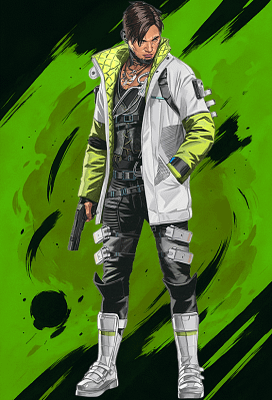
Zone: Apex Legends
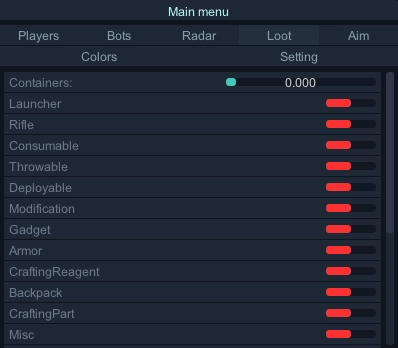
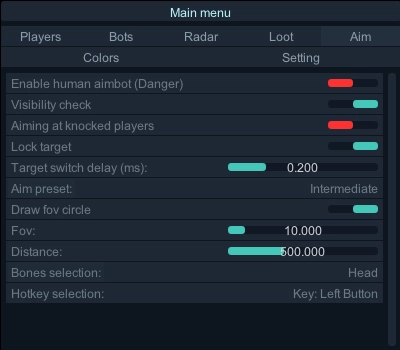
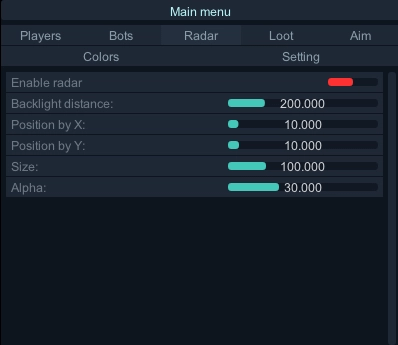
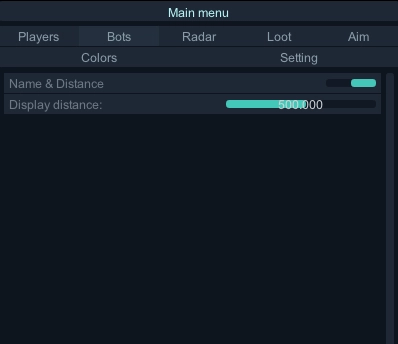
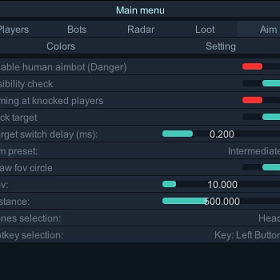
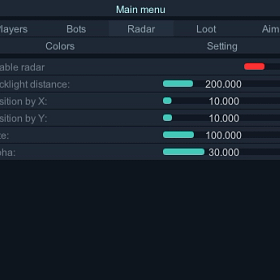
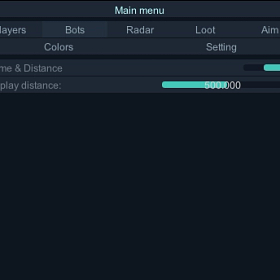
Customizable hotkey
Bone selection
Nearest bone
Focus team
Draw FOV
Customizable FOV
Dynamic FOV
Customizable smoothing
Humanized trajectories
Advanced prediction
Check visibility
Maximum distance
Players ESP
Show team
Check visibility
Player box
Snapline
Distance
Bones skeleton
Health ESP
Shield ESP
Team checks
Maximum distance
Glow players
Glow intensity
2D radar
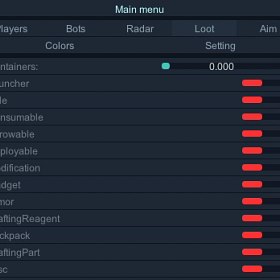
Glow items
Spectator count/list
Disable aimbot when observed
Crosshair
Customizable size
Instant delivery
Auto update (no re-download)
Fully streamproof
Screenshots protection
Disableable watermark
Customizable colors
SYSTEM SPECS
OS
Windows 10 - Windows 11 (All Builds)
CPU
Intel & AMD
GPU
Nvidia & AMD
SELECT PLAN
DOCUMENTATION

4.8
Based on 14 reviews
N
Picked this up last week for Apex and it exceeded my expectations. The aimbot prediction is perfect for Apex’s movement system, hitting shots on sliding and jumping targets no problem. ESP is detailed but not overwhelming. Setup was easy and support was quick. Can’t ask for more.
P
Coming back to leave a proper review after using this for a while. The Apex cheat is consistently updated, performs great, and the detection rate is basically zero. I’ve tried other providers before and nothing comes close to how clean this runs. Big vouch.
A
Good product for Apex Legends. The aimbot is very configurable and the smoothing options make it look natural. ESP works great in all modes. Giving 4 stars only because the menu takes a little bit to get used to, but once you figure it out it’s straightforward.
S
Just finished my third month using this on Apex. No bans, no warnings, nothing. Runs completely under the radar. The features are exactly what you need, nothing unnecessary. Support answered my question within minutes. Definitely staying with Zhex.
K
Zhex Apex cheat is fire. The aim assist works crazy good with the projectile prediction, hitting Wingman shots consistently now. ESP is clean and doesn’t eat frames. Best money I’ve spent on gaming honestly.
About Zone: Apex Legends
Zone: Apex Legends is an external cheat for Apex Legends and one of our best sellers. Zone is known for its dead-simple USB setup. Plug in your flash drive, run the loader, and play. The brand gets consistent updates and has long undetected runs across multiple games.
Apex Legends is a fast-paced battle royale with unique Legend abilities and team-based combat. Zone Apex Legends ESP reveals all enemy positions, loot locations, and supply drops on the map so your squad rotates efficiently and wins more gunfights.
Getting Started
- Download the loader and copy it to a USB flash drive.
- Install Visual C++ Redistributables if you do not have them.
- Uninstall any third-party antivirus and turn off Windows Defender real-time protection.
- Close all game launchers and overlays (Discord, GeForce Experience, MSI Afterburner).
- Run the loader from your USB drive as administrator and enter your license key.
- Click Start, wait for the success message, then remove the USB.
- Launch Apex Legends in borderless or windowed mode.
In-Game Controls
The menu shows up automatically when the game loads. Navigate with your mouse. Settings save between sessions. Set your game to borderless or windowed. Fullscreen exclusive mode blocks the overlay.
Safety
Zone: Apex Legends has built-in HWID protection against EAC bans. The USB loading method adds extra safety because no cheat files sit on your main drive. Always run the loader before opening any game client.
Need Help?
Our setup guide has step-by-step instructions with screenshots. For live help, join Discord.
Write a Review
You must be logged in to post a review.