


No products in the cart.
FOXY: WL Rivals Bot



No reviews yet. Be the first to share your experience!
About FOXY: WL Rivals Bot
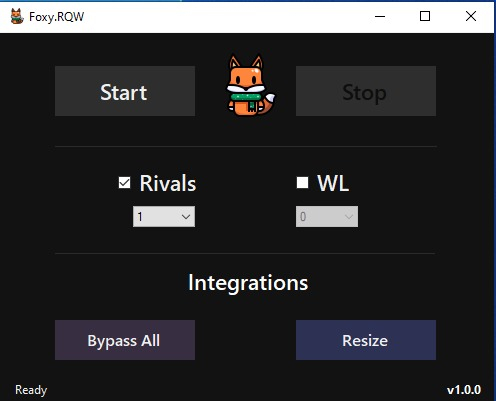
FOXY: WL Rivals Bot is an automated Weekend League bot. It reads the screen through OBS and plays your WL matches without you touching anything. Matchmaking, gameplay, disconnects, and reward collection are all handled automatically. Since it does not inject into the game, anti-cheat cannot see it.
Weekend League rewards are the best in Ultimate Team but you need to play 20 sweaty matches to get them. Foxy WL bot plays all your games while you do something else. It handles matchmaking, gameplay, disconnects, and reward collection on its own.
Getting Started
- Set Windows resolution to 1920x1080 at 100% scaling.
- Install OBS Studio and add a Game Capture source for your game.
- Install Sizer 4 and create a 1280x720 resize shortcut.
- Set your game to borderless mode, medium graphics, and English language.
- Open the game and Foxy together, click Resize in Foxy.
- Open OBS Windowed Projector and apply your Sizer shortcut.
Bot Settings
Turn on Scan Side, TP Win, and Disconnect Reason. The bot will queue for Weekend League matches, play through them, and handle disconnects. Leave it running and it will finish your WL games.
Important
Resolution must be exactly 1920x1080 at 100% scale. Any other resolution or scaling breaks screen reading. Run OBS and the game on the same monitor.
Need Help?
Detailed config steps are in our setup guide. Live help is on Discord.
Be the First to Review
You must be logged in to post a review.