


No products in the cart.
FOXY: UT DRAFT BOT


No reviews yet. Be the first to share your experience!
About FOXY: UT DRAFT BOT
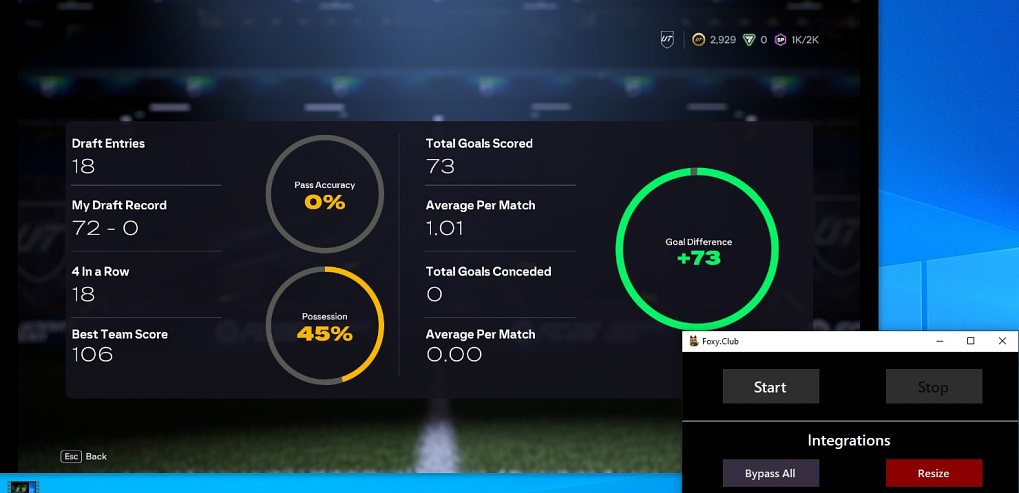
FOXY: UT DRAFT BOT is an automated draft bot for EA FC 26 Ultimate Team. It reads the screen through OBS and plays drafts on its own. Foxy does not inject into the game, so the game and anti-cheat never detect it. It picks players, plays matches, and collects rewards while you do something else.
UT Draft mode in FC 26 rewards coins and packs for winning draft rounds. Foxy automates the whole process: picking players, playing matches, collecting rewards. Leave it running overnight and wake up to a pile of coins and packs ready to open.
Getting Started
- Set Windows resolution to 1920x1080 at 100% scaling (not 125% or anything else).
- Install OBS Studio and add a Game Capture source for EA FC 26.
- Install Sizer 4 and set up a 1280x720 resize shortcut (e.g. Ctrl+Shift+H).
- Set EA FC 26 to borderless mode, medium graphics, and English language.
- Open the game and Foxy at the same time, then click the blue Resize button in Foxy.
- Open Windowed Projector in OBS and use your Sizer shortcut to resize it.
Bot Settings
Turn on Scan Side, TP Win, and Disconnect Reason before you start. Have coins or draft tickets ready, then click Start. The bot handles drafting, playing, and collecting on its own.
Important
Foxy needs a very specific setup with OBS and Sizer. Resolution and scaling must be exactly 1920x1080 at 100%. Any difference breaks the screen reading. Turn off virus protection in Windows Security before running it.
Need Help?
OBS and Sizer config details are in our setup guide. Support is on Discord.
Be the First to Review
You must be logged in to post a review.